

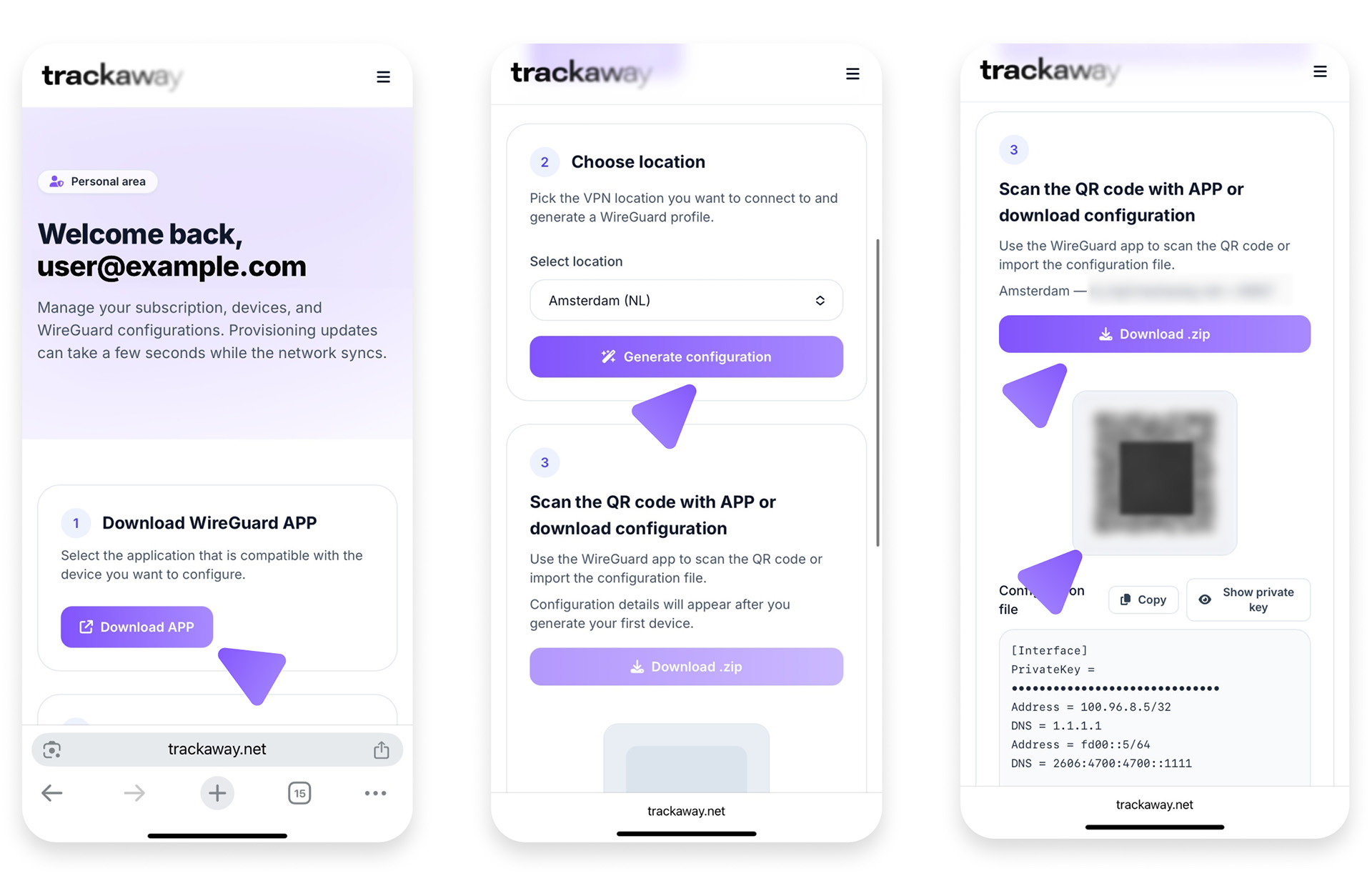
Use the official WireGuard app from the Google Play.
Step 1. Install
Step 2. Add your configuration
From your Dashboard:
Choose your preferred location (for example: Amsterdam, Luxembourg, or Prague) and click Generate configuration
Step 3. Scan and activate
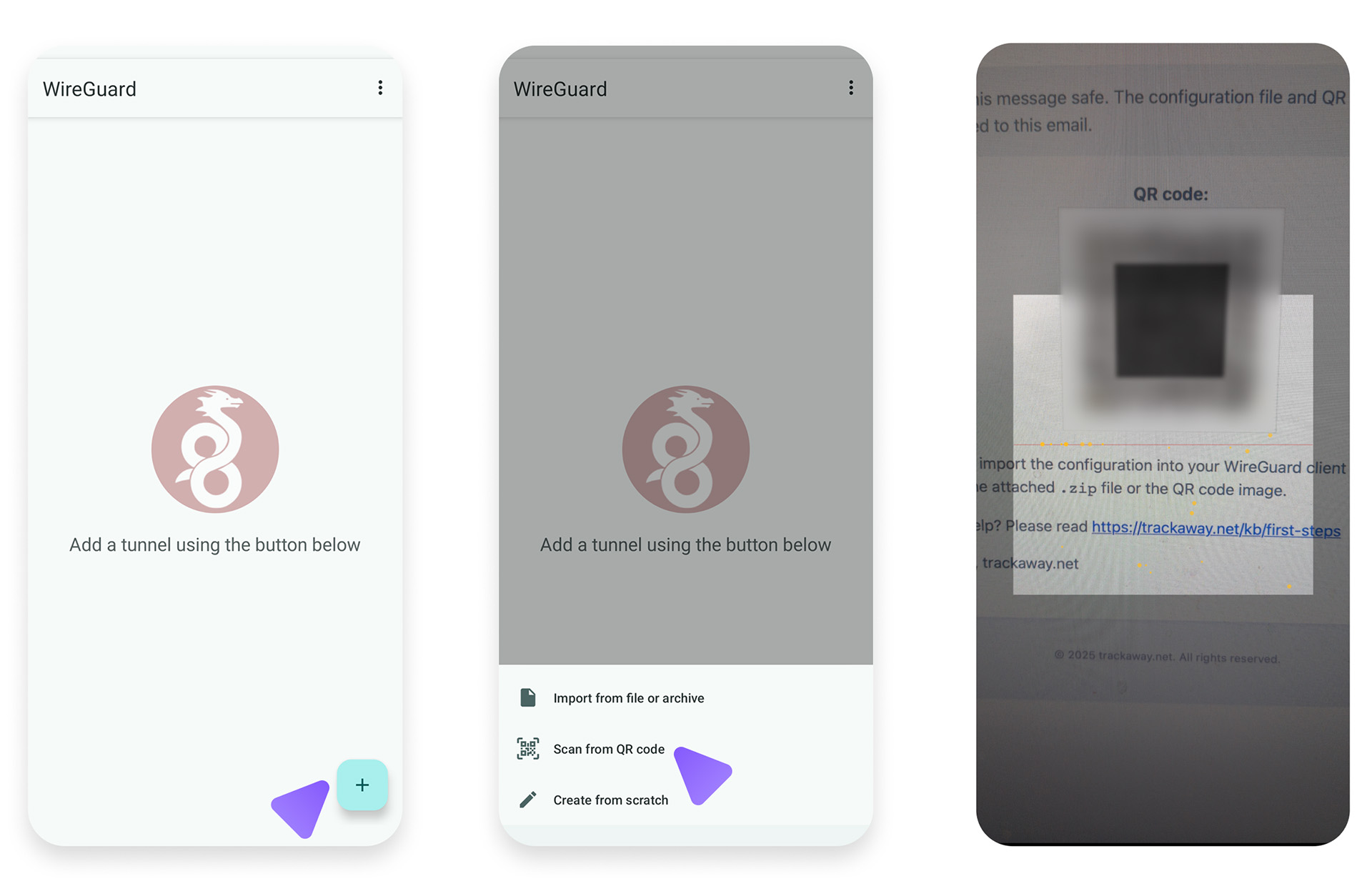
- Open the WireGuard app.
- Tap Add a tunnel → Create from QR code.
- Scan the trackaway QR.
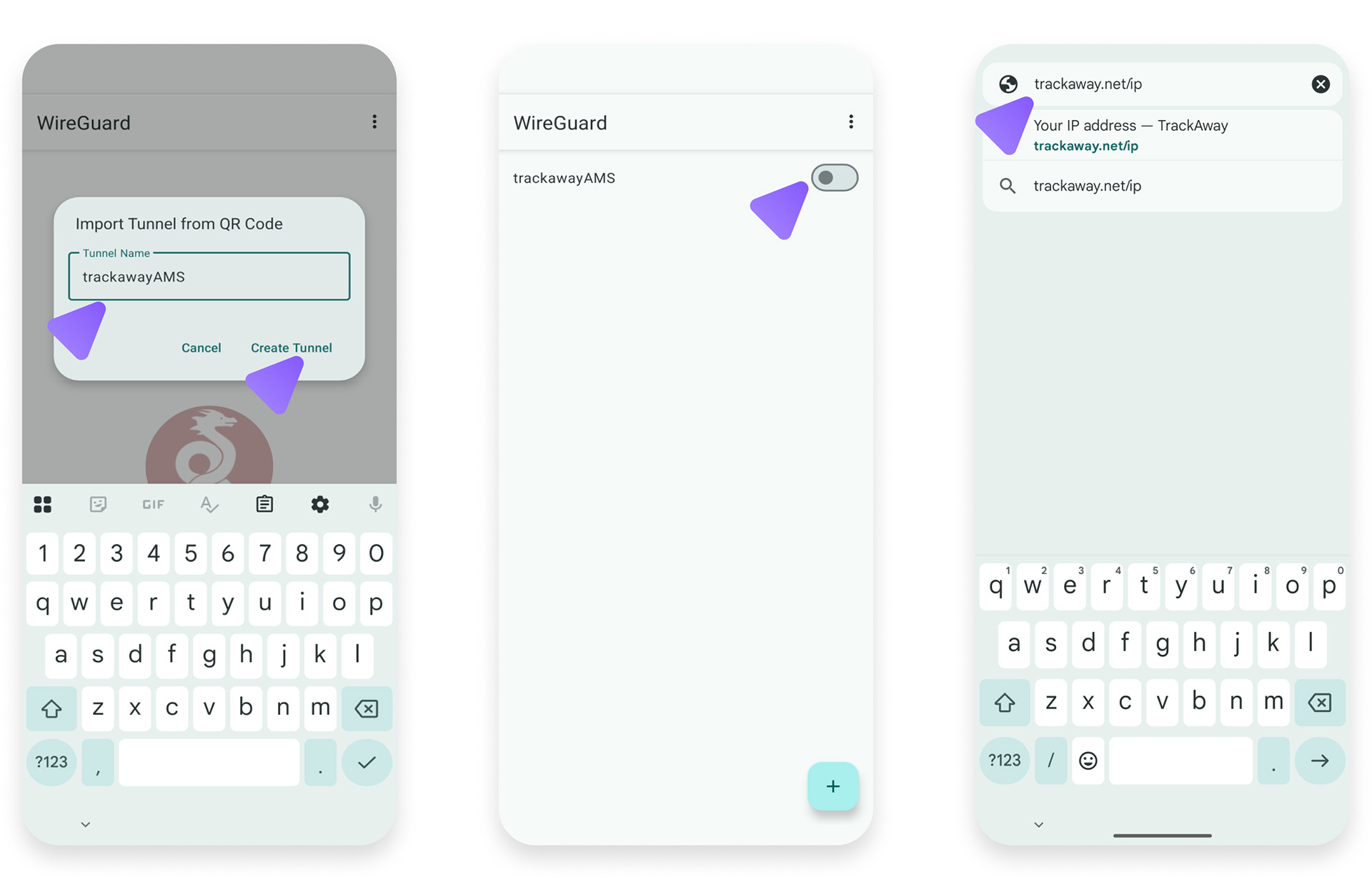
- When you create the tunnel for the first time, Android will ask for permission to create a VPN configuration.
Tap Allow — this is a normal system request that lets the WireGuard app manage VPN connections securely. - Tap Activate.
Step 4. Verify
Visit https://trackaway.net/ip — you should see your trackaway IP.